TOP 5 Heat Sinks TOP 5 Low Profile Heat Sinks TOP 5 Liquid Coolers
Heatsinks by Brand / Mfgr Reviews + Articless Advanced Search
|
TOP 5 Heat Sinks TOP 5 Low Profile Heat Sinks TOP 5 Liquid Coolers Heatsinks by Brand / Mfgr Reviews + Articless Advanced Search |
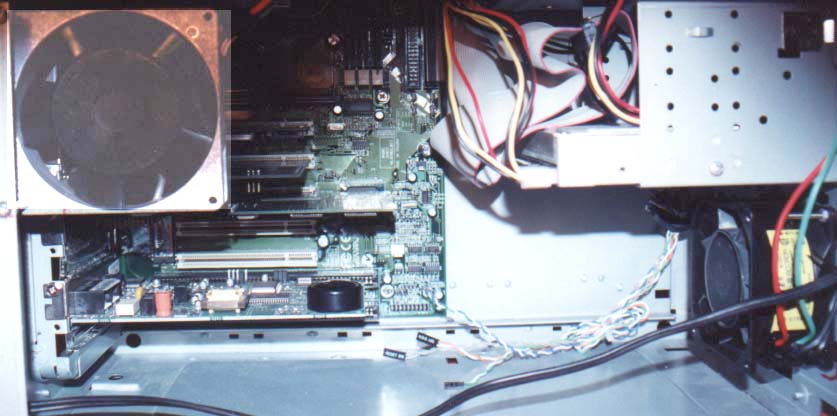
Fans and case modifications These days every computer has at least two fans, with many overclocked systems having plenty more than that. The question then arises, where do you put all those fans? Do you aim 64 high powered fans in the shape of a dome around that speedy little CPU like so much TNT around a plutonium pit, or do you stack them one atop another in hopes of creating some 12V powered subsonic wind tower? Well the answer my friends is blowing in the wind, so to speak. The point of all these fans is not to create a tornado of wind within your computer but to bring cool air into the case, speed it over the heat sink and then exhaust it from the case. Inlet fans, where do you put them? This question depends on how committed you are to keeping things cool. For those that treat their cases like an expensive car, put the inlet fan in the front of the case. Most MFG. provide what looks like a speaker mount (and it may be, but why use that cheap little speaker) there. Modifications will depend on the size of fan you are using but will probably be nothing more than drilling a hole or two in the frame behind the face plate, which will remain hidden behind the plastic face plate. 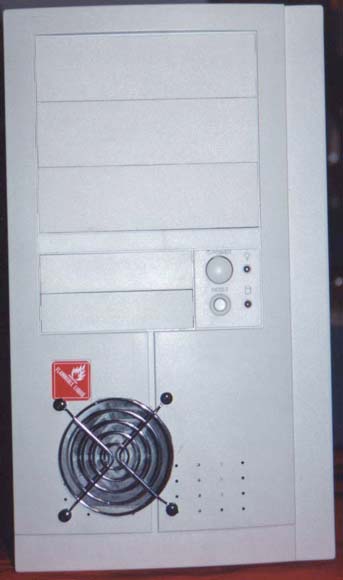 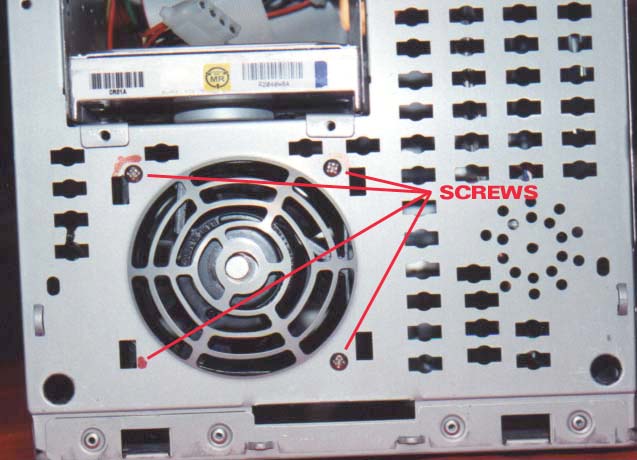 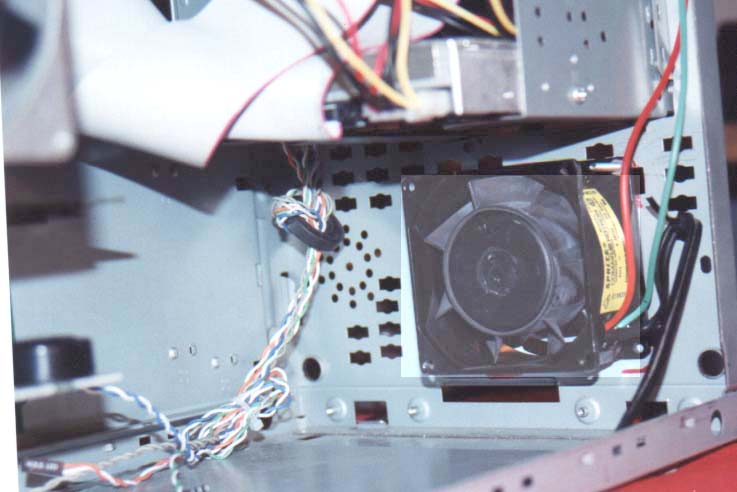
|
 |
|
| |||||||||||||||||||||||||
|
Find a Heatsink . Latest Heatsink Reviews . Top 5 Heatsinks Tested . Top 5 Low Profile Heatsinks . Top 5 Liquid Coolers . Heatsinks by Mfgr / Brand |
Social Media |
FrostyTech.com Info . Feedback . Contact Us / Heatsink Submissions . Submit News . Privacy Policy |
 | |
© Copyright 1999-2025 www.frostytech.com All Rights Reserved. Privacy policy and Terms of Use Images © FrostyTech.com and may not be reproduced without express written permission. Current students and faculty of accredited Universities may use Frostytech images in research papers and thesis, provided each image is attributed. | ||||