TOP 5 Heat Sinks TOP 5 Low Profile Heat Sinks TOP 5 Liquid Coolers
Heatsinks by Brand / Mfgr Reviews + Articless Advanced Search
|
TOP 5 Heat Sinks TOP 5 Low Profile Heat Sinks TOP 5 Liquid Coolers Heatsinks by Brand / Mfgr Reviews + Articless Advanced Search |
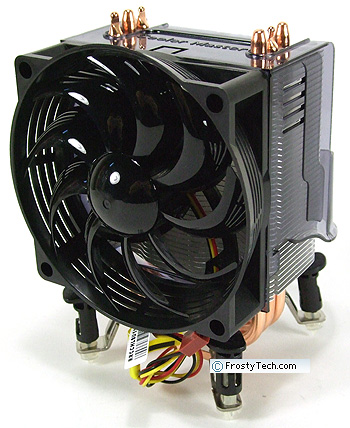
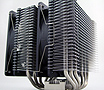
Coolermaster position the Hyper TX2 heatsink as a "total cooling solution," which is a fancy way to say exhaust airflow is put to use. Behind the Hyper TX2 is a rather large air scoop. It's job is to direct airflow exiting the aluminum fins of the heatsink down towards the MOSFETs, chipsets and other circuitry positioned around the CPU socket on many Intel and AMD motherboards. Motherboard manufacturers for their part have begun using heatpipes to conduct much of the heat from chipsets like the Intel X38 or P35 Express to this region, based on the assumption that a CPU fan will be exhausting air nearby. Why do this? Well, there are two main reasons; removing tiny and loud chipset fans from the computer, and using an airflow source that already exists to do extra work without creating additional noise. In all other respects the Coolermaster Hyper TX2 heatsink is a compact mid-level heatsink which is compatible with AMD socket 754/939/940/AM2 and Intel socket 775 processors. The Hyper TX2 weighs a feathery 382grams, stands less than 130mm tall, and comes equipped with a low noise 92mm 1800RPM fan. The heatsink itself is built of three copper heatpipes bent into a "U" shape which connect a small copper base to a thin tower of aluminum fins. Simple, compact, and ideal for mid-tower and compact PC chassis. The real question though, is how the Coolermaster TX2 heatsink performs!?
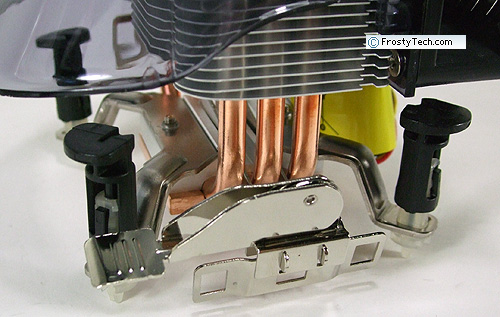
Out of the box the Coolermaster TX2 heatsink has both type of CPU clips attached. The LGA775 clip brackets are attached to the base with a set of machine screws, the AMD K8 clip just slides through between the copper heatpipes. All you need to do is remove the unnecessary ones, and the Hyper TX2 is ready to be installed. The heatsink ships with a pre-applied patch of thermal compound, which is always a nice touch.
FrostyTech's Test Methodologies are outlined in detail here if you care to know what equipment is used, and the parameters under which the tests are conducted. Now let's move forward and take a closer look at this heatsink, its acoustic characteristics, and of course its performance in the thermal tests!
|
 |
|
| |||||||||||||||||||||||||||||||||||||||||
|
Find a Heatsink . Latest Heatsink Reviews . Top 5 Heatsinks Tested . Top 5 Low Profile Heatsinks . Top 5 Liquid Coolers . Heatsinks by Mfgr / Brand |
Social Media |
FrostyTech.com Info . Feedback . Contact Us / Heatsink Submissions . Submit News . Privacy Policy |
 | |
© Copyright 1999-2023 www.frostytech.com All Rights Reserved. Privacy policy and Terms of Use Images © FrostyTech.com and may not be reproduced without express written permission. Current students and faculty of accredited Universities may use Frostytech images in research papers and thesis, provided each image is attributed. | ||||